
Are you looking for how to add a playlist to IPTV? You are in the right place. With a good internet connection, most IPTV apps allow you to add playlists using either an M3U URL or Xtream Code details.
In this guide, we will show you the best, fastest way to do it, step by step.
Table of Contents
What is IPTV?
IPTV, or Internet Protocol Television, is a popular service that lets users stream live TV channels and content online. An IPTV provider offers an IPTV subscription via an m3u URL, m3u playlist, or Xtream code, the standard IPTV format. With an IPTV player or apps like Smarters Pro on any device, such as Android, Android TV, or Fire TV Stick, users can easily add a playlist, access favorite channels, and enjoy a smooth viewing experience.
Need help setting up IPTV? Here’s our easy IPTV setup (Android TV, iOS & Windows)
Types of Playlists on IPTV :
M3U Playlist:
It is a single link that contains all the channels provided by the service provider. It is also suitable and easy for beginners. All you need to do is copy the link and paste it inside the app.
Xtream Code Playlist :
Xtream Code consists of three main pieces of information, sometimes four: the playlist name, the server URL, the username, and the password. This method is often more stable than M3U in some apps, especially when loading channels quickly or updating them automatically.
How to add a playlist to IPTV:
How To Add M3U Playlist : step-by-step guide:
First, we will download the IPTV app from the App Store, Google Play, or whichever device you are using. The appearance and options of each app may vary depending on the device.
Find the best IPTV players for Android, Windows, iPhone, iOS, and more.
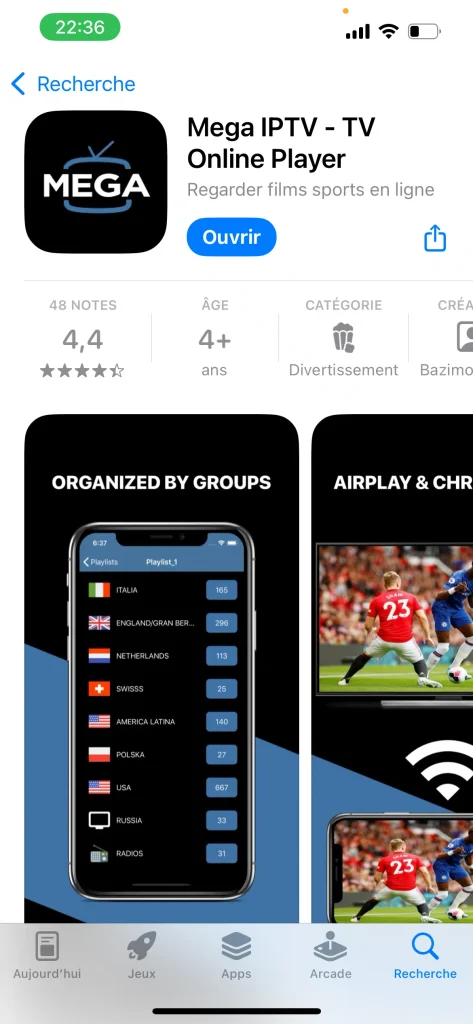
After that, you will proceed to add your iptv playlists, which is the main step to manage iptv on your device.

After that, we will add the iptv playlist by adding an m3u playlist using the m3u format, and we will also enter the epg url if it is provided.
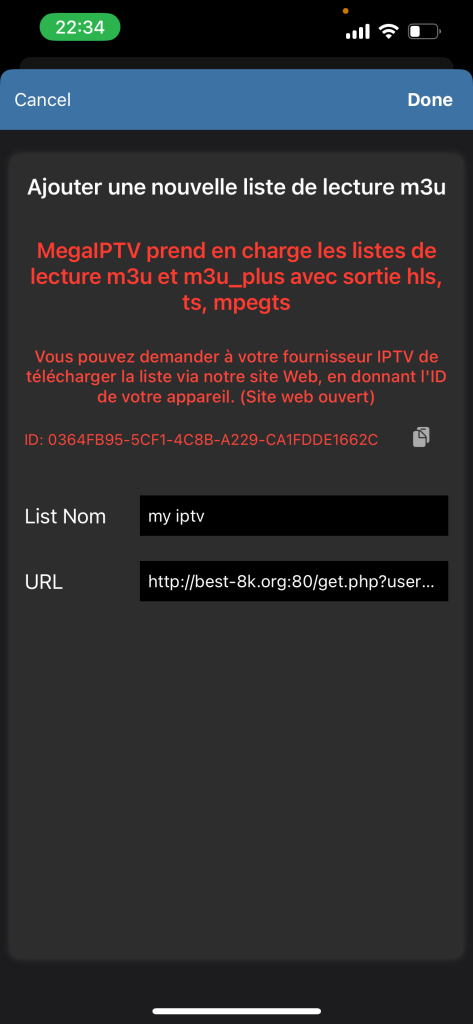
And you will have successfully added your playlist, allowing you to enjoy the best movie quality and a seamless streaming experience.

How To Add Xtream Code : step by step :
We will download another app to test the Xtream method.
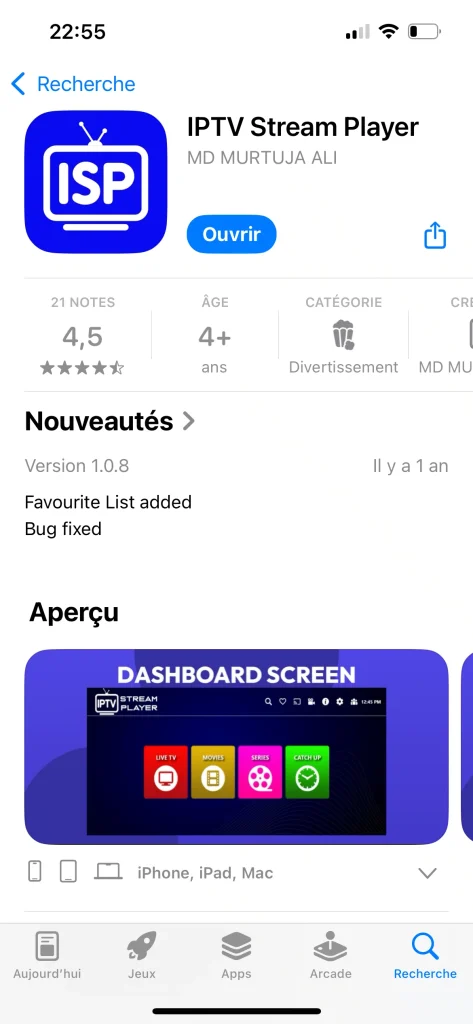
We recommend consulting our IPTV Stream Player Review
The app interface will immediately show the option to add a playlist using Xtream Code. We will enter the required information: the username, password, and server URL, then we will add it.
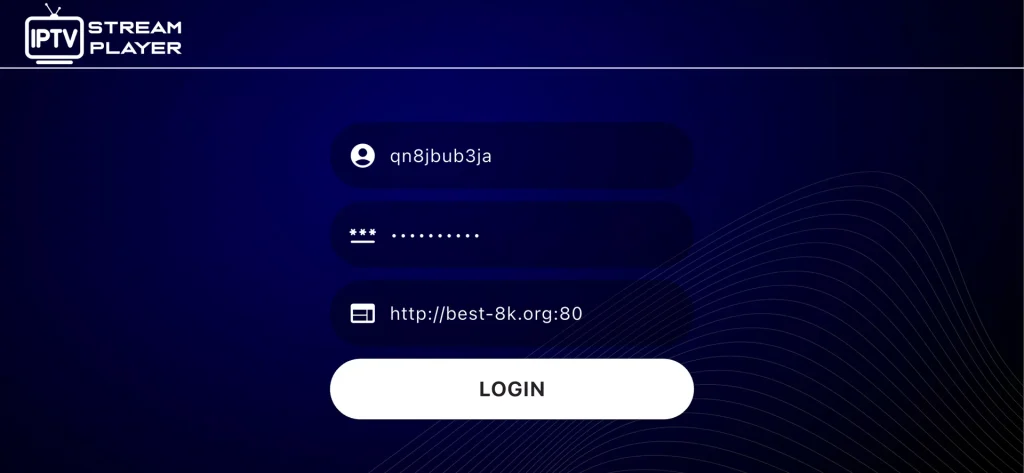
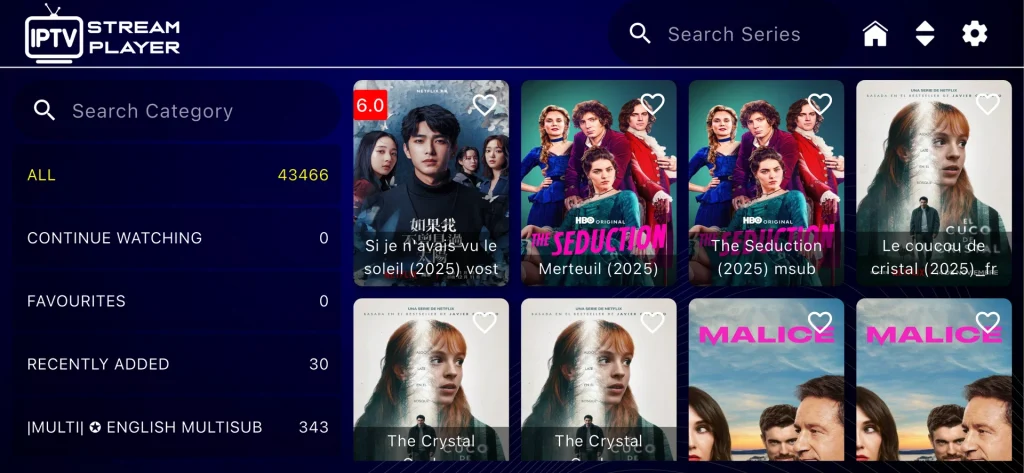
After that, you will be able to watch your movies and series comfortably and without any difficulties.
Why the Process Is Easy ?
The process is easy because IPTV apps support formats like m3u and xtream code api, allowing users to easily add playlists and navigate the platform. When you subscribe using your credential, the app will enable smooth streaming and access to favorite channels. Apps like smarters pro include the electronic program feature to optimize your viewing experience. The setup is simple to follow, and this method works on Android, Android TV, or Firestick without complications.
Conclusion
This ultimate step-by-step guide shows how to add a playlist on IPTV quickly and easily. By using the correct url or urls from your iptv provider, you can stream channels directly in the format used by IPTV providers.
Choosing the best iptv service and uploading the right file will ensure a straightforward and smooth experience, giving you the best viewing quality.

I’m Marin Key, a passionate English content writer with a background in computer science. I enjoy creating clear and engaging articles, especially on topics related to movies, TV series, and technology.