
If you are looking for a real IPTV app experience, this article is for you. We will share a complete review of XP IPTV, along with our honest opinion about its features, usability, and overall performance. Stay with us to discover more useful information.
Table of Contents
What Is XP IPTV?
XP IPTV is a player app for TV, Android TV, android phones and tablet, designed to stream live TV, movie and series through IPTV subscriptions. It supports Xtream Codes, playlists or streaming links, EPG TV guide, catch-up content, Chromecast support, picture-in-picture mode, and parental controls. XP IPTV does not provide, supply, include, promote, or deliver media content, illegal content, or unauthorized streams; access depends on a third-party provider with copyright authorization.
Main Features of XP IPTV
- Supports M3U playlists and Xtream Codes protocol
- Built-in EPG (Electronic Program Guide) for easy scheduling
- Compatible with Android TV, Smart TV, and mobile devices
- Multi-screen and picture-in-picture (PiP) mode
- Parental control system for restricted content
- Catch-up TV feature to replay missed programs
- Regular updates for improved stability and performance
How to Install XP IPTV
Installing XP IPTV on Android
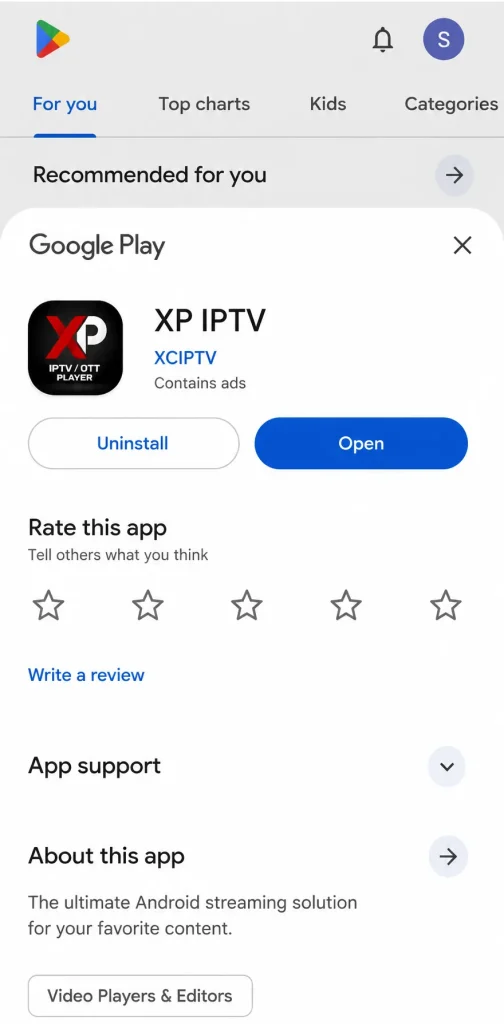
- Download the IPTV app from Google Play on your Android device.
2. Open the app and tap Add Playlist.
3. Choose M3U as the playlist method.
4. Enter a playlist name, then paste the server link provided by your IPTV provider.
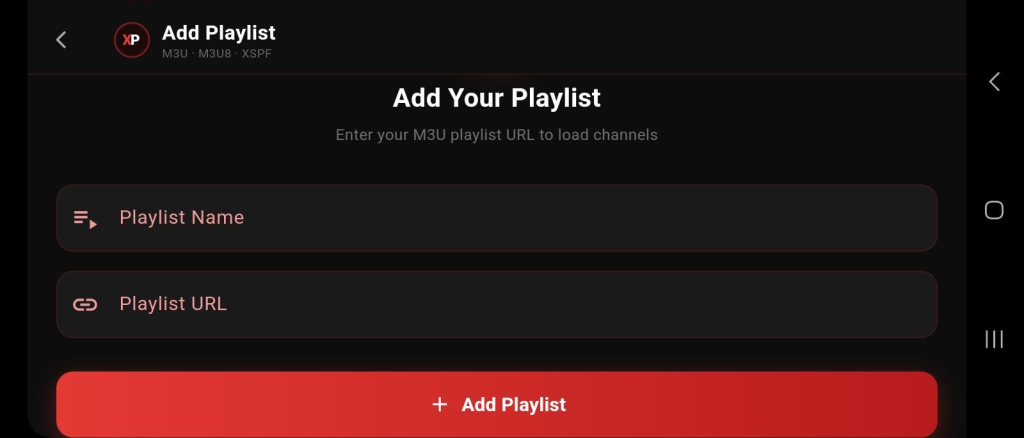
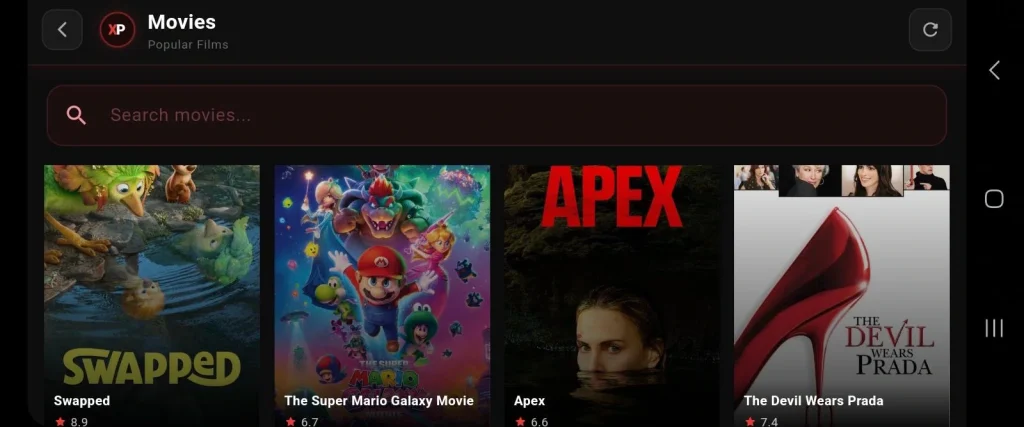
5. Add the playlist, wait for the content to load, then start watching.
Installing XP IPTV on iOS
- Download the IPTV app from the App Store.
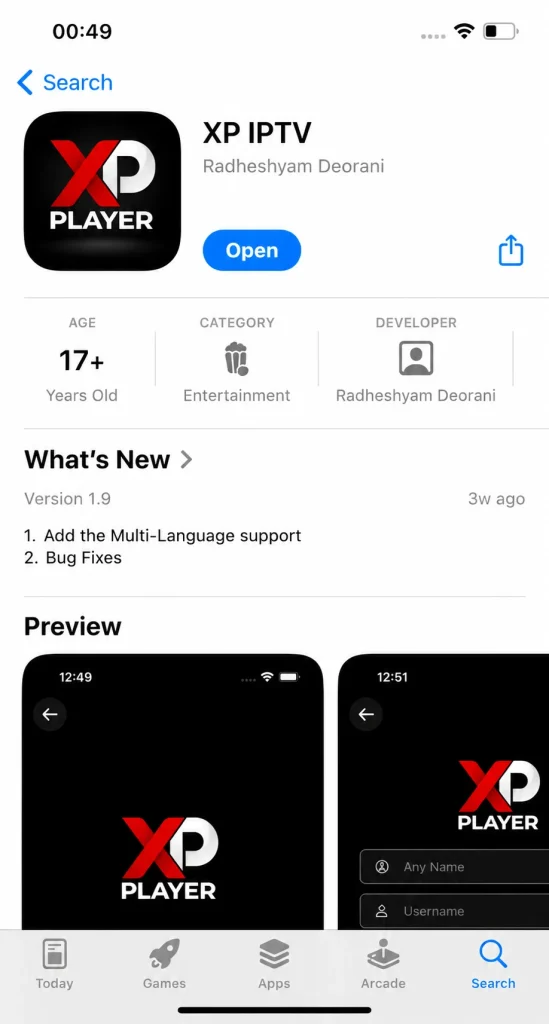
2. Open the app and tap Add Playlist.
3. Choose Xtream Codes as the login method.
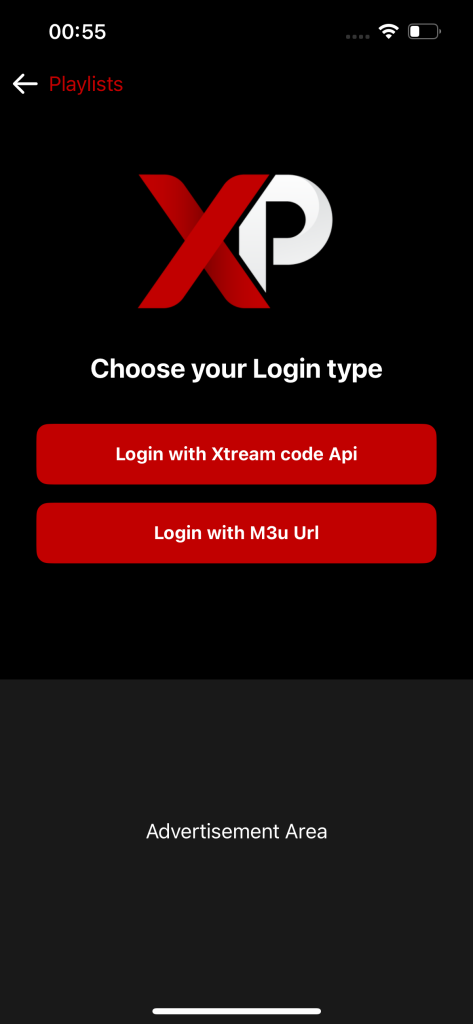
4. Enter the username, password, and server URL provided by your IPTV provider.
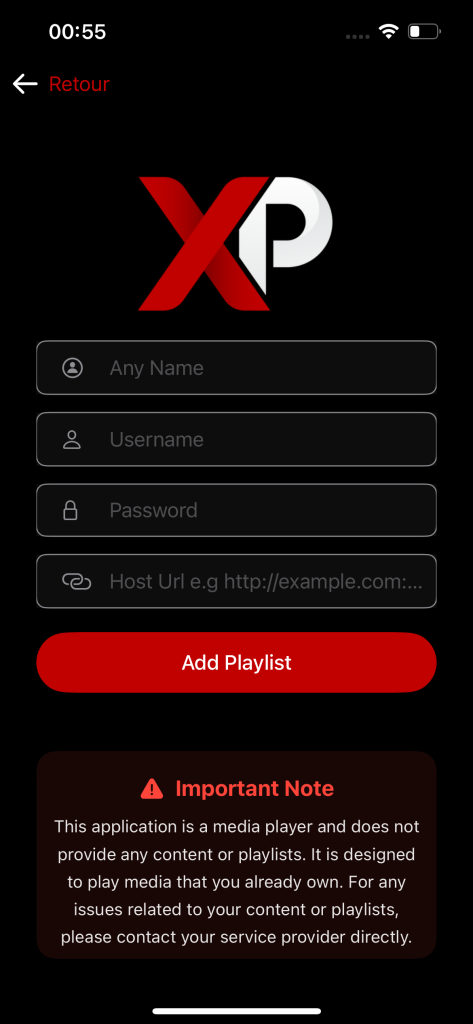
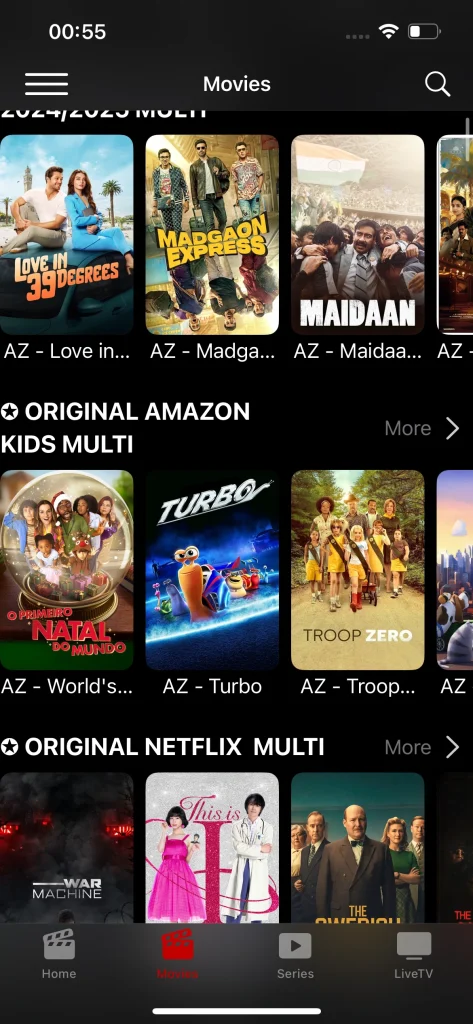
5. Add the playlist, wait for the content to load, then start watching.
Alternative Apps to XP IPTV :
Zen IPTV Player
Zen IPTV Player displays content in a clean and elegant interface that feels similar to major streaming platforms. It supports live channels, replay, movies, and series, and works across different devices such as TVs, phones, tablets, and computers. It also lets you start watching on one device and continue on another. The app supports high-quality playback, including 4K, HDR, and Dolby Vision, while automatically grouping different content versions such as SD, HD, and FHD. It also includes Picture-in-Picture mode and many other useful features.
Pros :
- Modern and polished interface.
- Works across multiple devices.
- Supports 4K, HDR, and Dolby Vision.
- Resume playback with Zen Access.
- Good option for family use.
Cons :
- Some features require payment.
- Email verification can be annoying.
- Support is mostly French-focused.
- Some users report playlist errors.

Zen IPTV Player
IPTV smarters pro :
IPTV Smarters Pro supports IPTV playback links on phones and tablets, and allows users to add content through Xtream Codes or M3U files. It lets you watch live channels and VOD content, with the option to save favorite channels for quick access. It also supports Multi-Screen to watch more than one channel at the same time, and includes player options such as full screen, audio source selection, zoom, and aspect ratio adjustment, along with other useful features.
Pros :
- Easy setup with M3U or Xtream Codes.
- Simple interface for beginners.
- Multi-Screen feature is very useful.
- Works on several devices.
- Favorites make access faster.
Cons :
- No built-in channels included.
- Depends heavily on the IPTV provider.
- Some versions may feel confusing.
- Advanced features vary by device.

IPTV smarters pro
IBO player :
IBO Player is a media player that offers a simple and easy user experience, allowing users to upload their playlist through the app’s official website. It also gives new users a free 7-day trial. The app stands out with 4K support, three different themes, and VLC Player integration. It also displays movie and series posters with useful information, while allowing users to choose the language and subtitles within the content.
Pros :
- Offers a 7-day free trial.
- Supports 4K streaming.
- Simple and easy interface.
- Includes VLC Player support.
- Shows posters and content information.
Cons :
- Activation is required after the trial.
- Playlist must be uploaded through the website.
- No channels included by default.
- Some users mention payment issues.

IBO player
Conclusion :
In this article, our team tried to provide you with a complete experience and our opinion about the XP IPTV app, along with the basic information you may need during your use. We hope this article was helpful, and don’t forget to share your opinions and experiences in the comments.
FAQ :
How does XP IPTV compare to other IPTV players?
XP IPTV offers good compatibility and a simple interface, making it easy to tailor your setup. Compared with other players, its value depends on features, rating, and how smooth the experience across android phones feels for daily entertainment.
Does XP IPTV protect user data and privacy properly?
Privacy depends on the developer, the app permissions, and the official store policy. Users should check what data is collected, avoid unknown playlists, and make sure they use the right provider. Language support like english, french, arabic, and german can also help users understand settings.
Does the streaming quality depend more on XP IPTV or the IPTV provider?
Streaming quality depends more on the provider than the app. A strong source can deliver a seamless experience, while weak servers cause buffering. XP IPTV may help users enjoy chromecast support, but it is not an affiliate or content owner in the IPTV world.

I’m Marin Key, a passionate English content writer with a background in computer science. I enjoy creating clear and engaging articles, especially on topics related to movies, TV series, and technology.