
If you are looking for how to use IPTV on your devices, this article is for you. We will provide all the information you need about IPTV, including its features, how to use it, its different types, and everything else you may need to know. Stay with us to discover more useful information.
Table of Contents
What Is IPTV?
IPTV, or internet protocol television, is a service that delivers live TV, video, movie, and other content through the internet instead of traditional TV services. An IPTV service usually works through an app, server, or provider source, giving the user access to channels and on-demand content on different devices. Popular IPTV offers may include features like EPG, better quality settings, and a more flexible TV experience than traditional viewing.
Types of IPTV :
Live TV :
Live TV is a type of IPTV that allows viewers to watch channels and programs at the exact moment they are being broadcast, just like traditional television channels, but through the internet instead of cable. This type is suitable for people who like to follow news and daily programs in real time and from anywhere. It also offers instant viewing, especially for sports events and important shows, but it requires a strong, stable, and fast internet connection to avoid interruptions.
VOD :
Video on Demand is a type of IPTV that gives the user complete freedom to choose what they want to watch at any time, without being tied to a specific schedule. It includes movies, series, programs, documentaries, and many other types of content. This type is designed to give viewers the flexibility to choose when and where to watch, without waiting for a program to air. It is also one of the most popular types because it matches the needs of many users.
REPLAY :
Replay is a feature that allows users to go back and watch programs or episodes again within a time period set by the provider. This means that if you miss a live broadcast, a show, or a match, you can return to it later without having to record it yourself. This feature is very useful for people who cannot follow live broadcasts because of work, study, or other commitments. The difference between replay and VOD is that replay refers to content that was already broadcast on a live channel and then saved temporarily, while VOD is a content library available to watch at any time.
Pros and Cons of Using IPTV
Pros :
- Offers a more flexible viewing experience
- Gives access to live and on-demand content
- Includes useful playback and replay features
- Works on different types of devices
- Lets users enjoy a more modern TV setup
- Makes content access more convenient
Cons :
- Depends heavily on internet quality
- Buffering can affect the viewing experience
- Streaming quality varies by provider
- Setup may feel difficult at first
- Some services may involve legal risks
- Performance is not always consistent
What You Need to Use IPTV
- A stable internet connection is essential for smooth IPTV streaming without frequent buffering or interruptions.
- You need a compatible device, such as a smart TV, smartphone, tablet, Android box, laptop, or streaming stick.
- An IPTV app or player is required to open and manage the service on your device.
- Most services also need an M3U link, Xtream Codes details, or provider login information.
- It is important to use a legal and reliable IPTV provider for better security, quality, and support.
- You should have the correct setup details ready before starting the installation process.
- Good internet speed is important, especially if you want to watch HD or higher-quality content.
- Extra features like EPG, catch-up, replay, or favorites can make the viewing experience more practical.
How to Set Up IPTV (Step-by-Step)
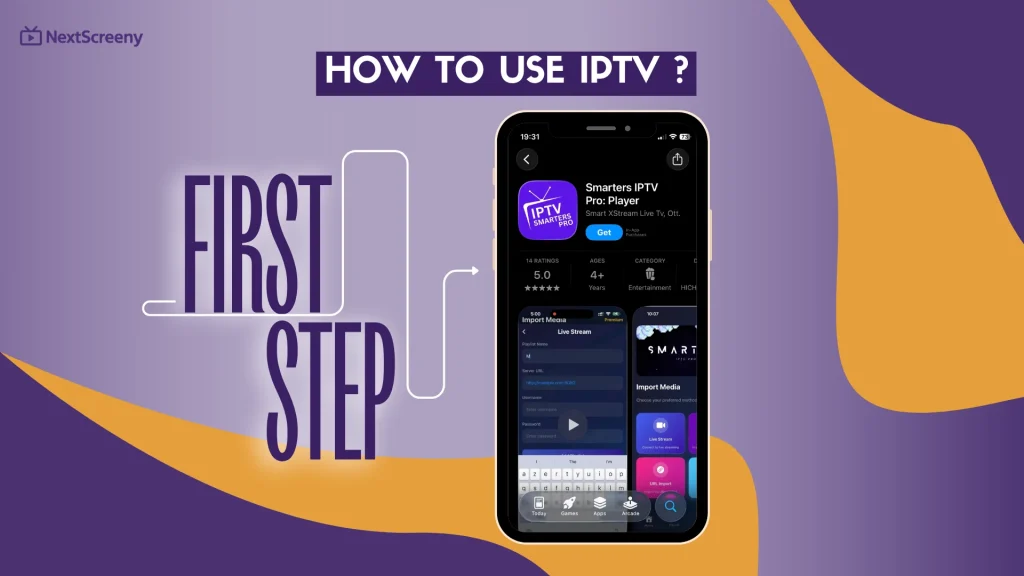
The first step to understand how to use IPTV on our devices is to download a suitable app that is compatible with the device. In our case, we will try it on an iPhone. For example, we will download the IPTV Smarters Pro app from the App Store.
See our IPTV Smarters Pro review
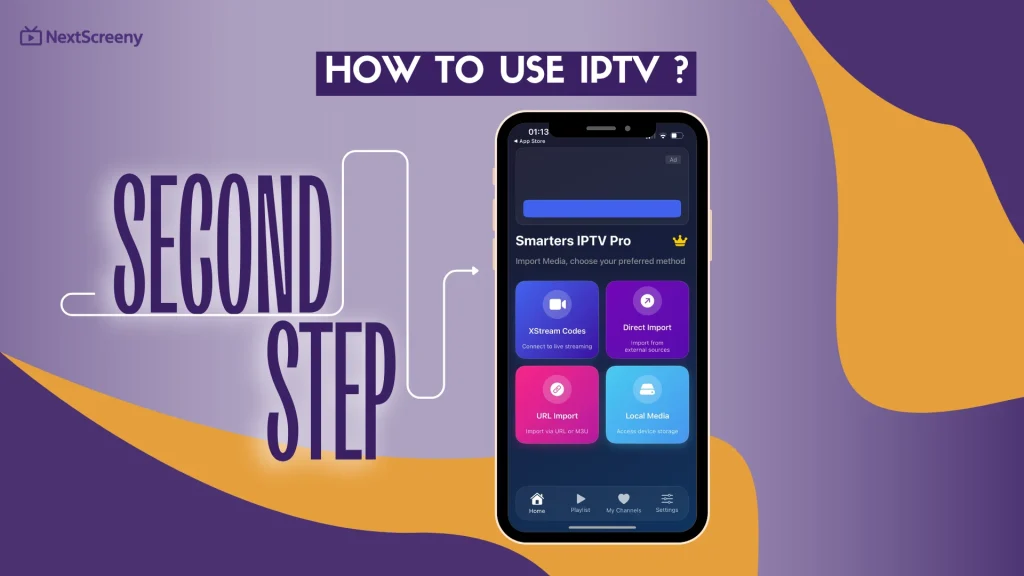
Second, we open the app, and on the main interface you will see the formats suggested by the app for adding a playlist. In our case, we will add a playlist using the Xtream Codes format.
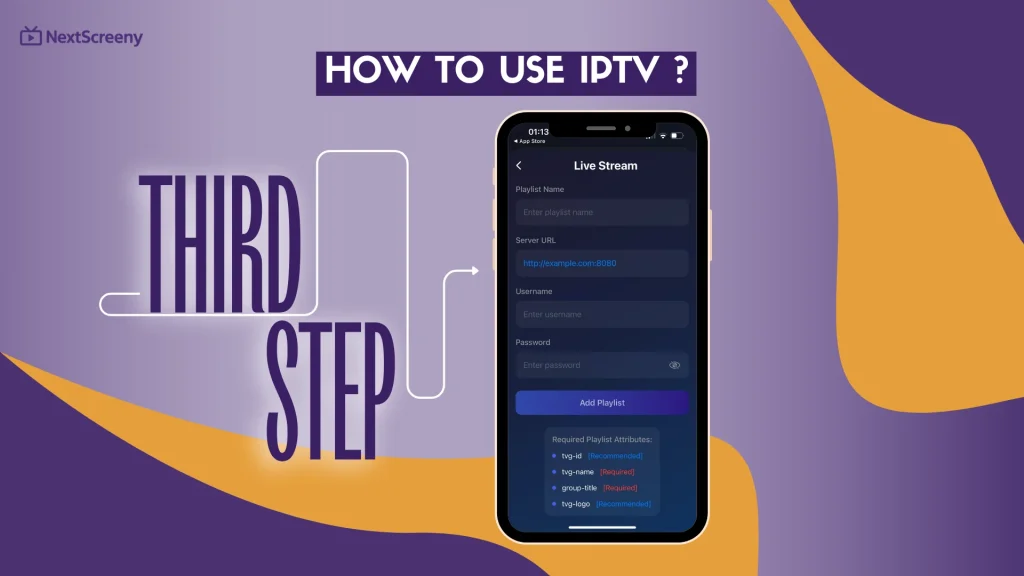
Third, we fill in the required details for this format. With the Xtream Codes format, the required information includes the username, password, and server URL, while the playlist name is optional. These details are usually provided with the subscription you get from the supplier. After entering them, we add the playlist.
Finally, after adding the playlist, we wait a few moments for the content to load in the app. Once it is ready, you can enjoy watching your different types of content, whether it is movies, series, or sports programs, with complete ease.
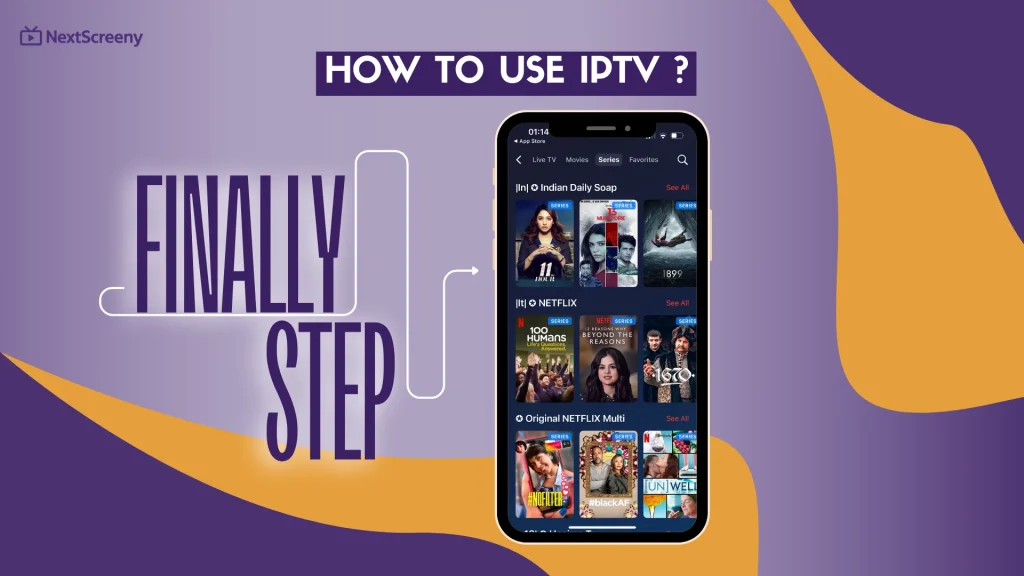
In general, the same steps are repeated on other systems such as Android and Windows, and also on most other apps. The process is almost the same: download the app, choose the format, add your details, and start watching.
Devices That Support IPTV:
- Smart TVs are one of the easiest ways to use IPTV, since you can install a compatible app and watch directly on a bigger screen.
- Android phones and tablets are very commonly used because they support many IPTV apps and are easy to carry anywhere.
- iPhones and iPads also support IPTV, which makes watching content on Apple mobile devices simple and convenient.
- Android TV boxes are a popular choice because they can turn a regular TV into a more advanced streaming device.
- Amazon Fire TV and Fire Stick devices are also widely used for IPTV thanks to their practical interface and good app support.
- Windows computers and laptops can run IPTV through dedicated apps or players that support playlists and login details.
- Mac devices can also be used to watch IPTV with compatible apps or web-based platforms.
- Apple TV is another option for users who prefer streaming through Apple’s TV system.
Find some of the best IPTV players for Android
Tips for a Better IPTV Experience
- Use a stable and fast internet connection to reduce buffering and improve picture quality.
- Choose a reliable IPTV provider, because service quality can vary a lot from one option to another.
- Keep your app and device updated to avoid bugs and improve overall performance.
- Double-check your playlist or login details before setup to prevent loading problems.
- Restart the app or your device when the service feels slow or channels do not open.
- Organize your favorite channels to make everyday viewing easier and more comfortable.
Common IPTV Problems and How to Fix Them
- Buffering or freezing: This usually comes from slow or unstable internet. Restart your router, reduce other internet use, or switch to a stronger connection.
- Channels not loading: Check your internet first, then restart the app or device. In many cases, this solves temporary loading issues.
- App crashes or runs slowly: Update the app and your device software, because old versions often cause playback problems.
- Wrong login or playlist details: Recheck your username, password, server URL, or playlist link carefully. A small mistake can stop the service from working.
- Weak Wi-Fi signal: Try moving closer to the router or using Ethernet if possible, since streaming works better on a stable connection.
- Problem after an update: Restart the device and look for a newer patch, because some updates can briefly affect app performance.
Conclusion :
In this article, the NextScreeny team shared the key information you need to understand how to use IPTV more easily. We hope this guide was helpful and gave you a clearer idea of the basics. Feel free to share your thoughts and opinions with us in the comments.
FAQ
Is IPTV easy to use?
Yes, IPTV can be easy-to-use, especially on android devices with a clear iptv setup guide. Most users can install an app from the store and complete the iptv setup successfully by following simple steps. To get started, make sure you enter the m3u url correctly, since this is often the most important part.
What app is best for IPTV?
Many users consider IPTV Smarters Pro and TiviMate among the best IPTV players because they are easy to connect, simple to manage, and widely used by the customer community. You can usually find them through Google Play or the official app page, depending on your device and setup preferences.
Can I use IPTV on my phone?
Yes, you can use IPTV on your phone very easily. You just need to download a compatible app, install IPTV on your device, and follow the instruction steps to add your subscription details. In some cases, you may also click to open a file or playlist link. One main benefit is being able to watch content anywhere.

I’m Marin Key, a passionate English content writer with a background in computer science. I enjoy creating clear and engaging articles, especially on topics related to movies, TV series, and technology.