
There are many applications designed to read subscription codes for iptv, and IPTV Smarters Pro stands out for providing a stable service without interruptions. In this article, we will explore its main features, with special focus on Windows systems, so keep reading to learn more.
Table of Contents
What Is IPTV Smarters Pro?
This application works as a media reader that processes subscription codes provided by service suppliers, supporting formats such as M3U and Xtream Codes. It offers an alternative to traditional viewing methods like cable or satellite, which are often limited by fixed schedules. Instead, it gives users the freedom to watch their preferred content anytime, on any platform. It is important to note that the app itself does not host any content; it only displays media after valid subscription links are added. Caution is advised, as fake applications are circulating under the same name.
Our Experience With IPTV Smarters Pro
Based on our testing, the application performs very well, especially on Windows computers. It features a clean interface with well-organized menus, making it easy to navigate even for beginners. It supports high-quality streaming, including HD, Full HD, and 4K resolution. Channel switching is fast, and regular updates contribute to smoother performance. Overall, it delivers a reliable and straightforward on-demand viewing experience, turning a computer into a personal television without complexity.
How to Install the App on Windows
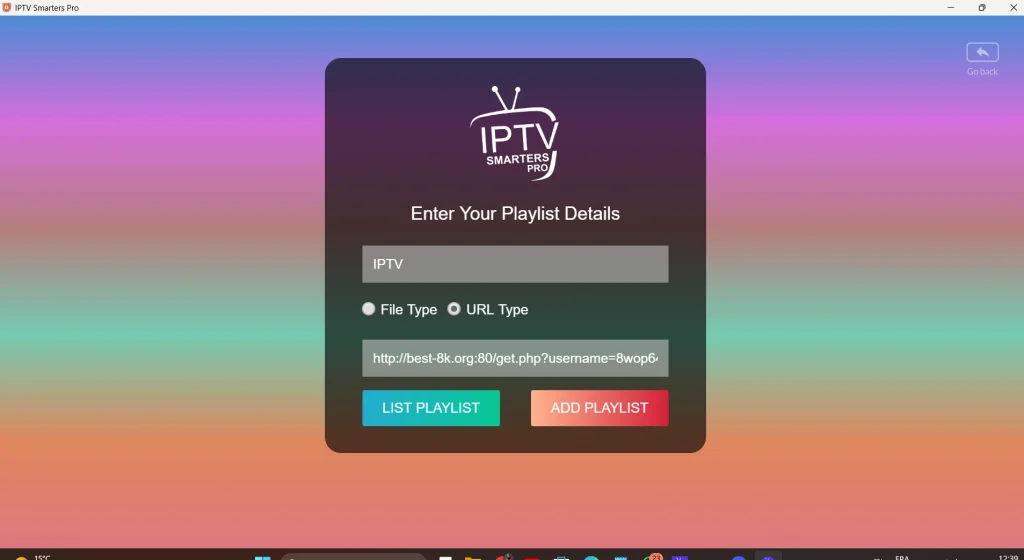
You can download the original version of the Smarters app for Windows from here, or open the Microsoft Store and get the official version. After launching it, enter your subscription details to activate the player. The setup process is straightforward, allowing you to use the software smoothly on your preferred device and enjoy Smarters with optimal performance.
Also see: How to add a Playlist on IPTV
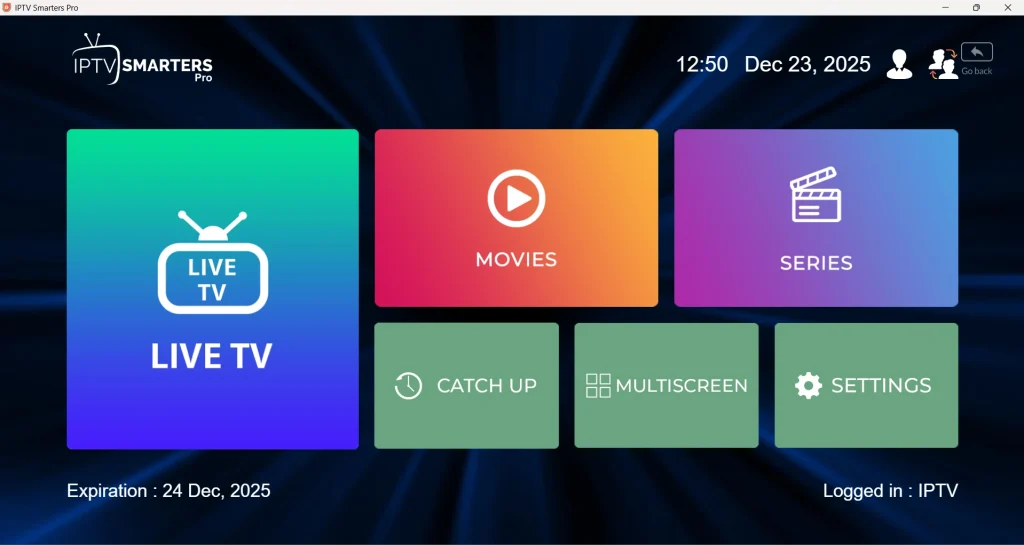
After entering your subscription details, the main interface appears instantly. It displays categorized sections such as live channels, movies, and series, with a clear layout that allows quick navigation between options. The dashboard is designed to provide easy access to content and settings without confusion.
Improve your IPTV security with the Best VPNs for IPTV
After that, you can select the content you want and watch it comfortably, with smooth playback and easy controls, for a relaxed, flexible viewing experience without any restrictions.

Application Alternatives
IPTV Smarters Expert
This application is considered an advanced alternative that offers similar functionality, improved stability, and additional customization options. It features a modern interface, smooth navigation, and reliable performance, making it suitable for users seeking a refined and flexible streaming experience.
Zen Player IPTV
Among the best applications available, Zen Player IPTV delivers fast loading, stable playback, and simple controls. It suits users who value efficiency, clear menus, and consistent performance across sessions, offering a practical solution for everyday viewing needs without unnecessary technical complexity.
For more of the best IPTV players for Windows, click here.
Conclusion
In this article, we aimed to share our personal opinion after spending a considerable time testing the Smarters Pro application. Overall, it proved to be reliable, user-friendly, and well-suited for Windows users seeking a smooth viewing experience.

I’m Marin Key, a passionate English content writer with a background in computer science. I enjoy creating clear and engaging articles, especially on topics related to movies, TV series, and technology.